
Deliria Controls and HUD
Third-person sandbox reads, observed hotbar, and an honest line between expected defaults and official binds.
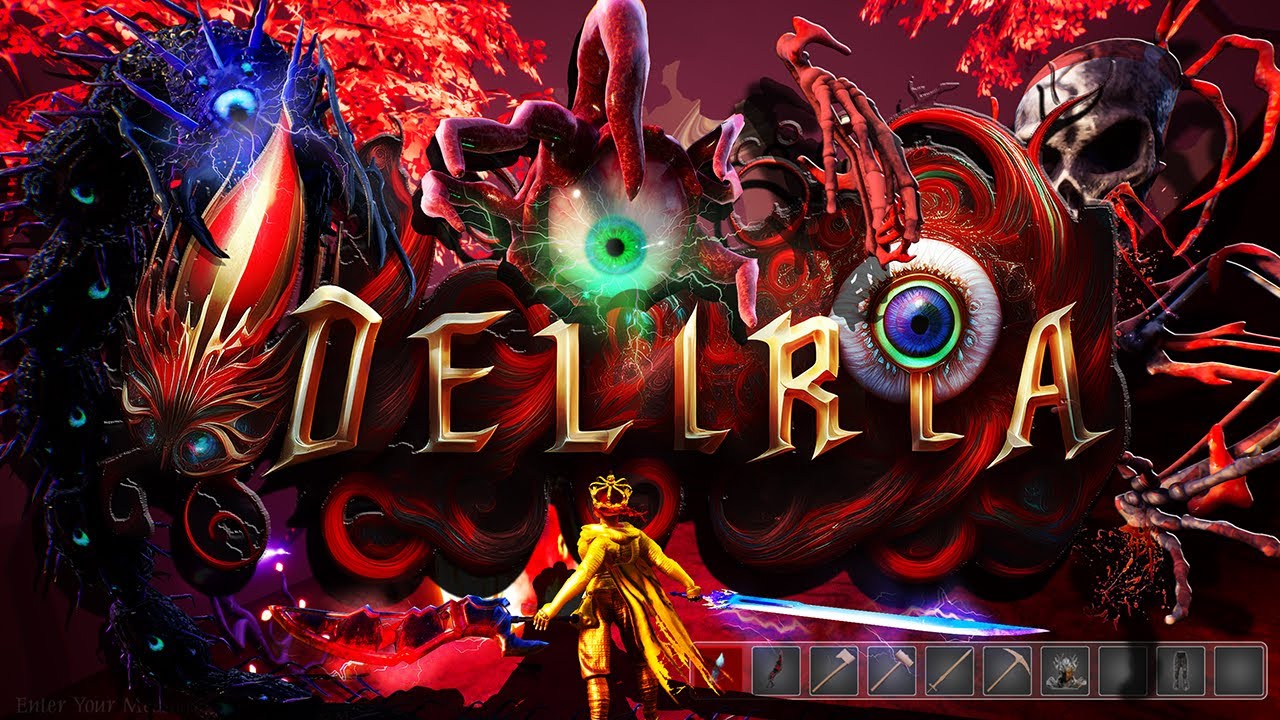
Linesway has not published a complete Deliria keybind table. This page records what playtests and HUD shots actually show, then labels the rest as expected defaults for a third-person Steam sandbox — not an official manual. If the in-game options overlay disagrees, the overlay wins. For the rest of the beginner path, keep getting started and the guides hub open. If a setting or audio slider is the thing ruining your night, that complaint also shows up in the review.
Deliria is a third-person game. You see a character, a hotbar, hearts, mana, and a style letter, not a first-person voxel crosshair from a cube engine. Movement will almost certainly feel like a standard PC WASD plus mouse-look setup because that is how this camera genre is built, but this wiki will not print WASD as a confirmed Linesway bind. There is no official PDF to copy. Open the options screen in your own client and bind what you find there.
What is actually on screen
Playtest HUDs show:
- Health in a numeric form like 120/200, with red heart icons.
- A blue star / mana row next to the hearts.
- A style rank letter that can climb to SSS. At the top end, playtests flashed Smokin’ Sexy Style!!! and a +55% DAMAGE bonus. That combat language is unpacked on the combat guide.
- A hotbar that already behaves like a survival action bar, not a hidden radial that you never see.
Those widgets matter more than guessing whether jump is Space. If you cannot read hearts, mana, and the style letter, keybinds will not save the fight. Early reviews also mentioned UI and settings friction — if a slider does nothing, that is a client issue, not a missing wiki table.
Observed hotbar
One clear playtest bar held, in spirit if not always in that exact order:
- Sword
- Pickaxe
- Axe
- Magic
- Apple
- Torch
- Sunflower
- Hammer
- Ammo
That mix is the whole game in nine slots: melee, two gathering tools, a spell, food, light, a plant, a build/repair tool, and gun ammo. Treat number keys as an expected default for swapping those slots. Do not treat a fan diagram as a patch note.
Pickaxe and axe are why mining and building are not a separate “creative only” mode in normal play. Hammer is the tell that terrain editing is meant to sit next to combat. Apple is the tell that you can lose a fight to hunger or chip damage before a boss is on screen. Torch is the tell that blight, dungeon mouths, and hand-dug caves are dark on purpose.
Chat, commands, and session text
Multiplayer footage is more talkative than the bind list. Chat is in the build. Typing /help is a confirmed command pattern. Hosts can stamp a world with text like World PVP Disabled by [player]. Kill feed lines have printed damage percents. Those are session controls as much as keybinds; the multiplayer guide covers the social rules around them, including Discord looking-for-group and launch-night etiquette.
Until you open your own options menu, expect a chat key (Enter is the usual default in this genre) and a way to open a score or inventory pane. Again: usual, not official. Do not invent economy commands, teleport syntax, or admin cheats because another sandbox uses them.
Camera, aiming, and tools
Playtesters talked about an aim feature that made swords feel usable instead of vague. That is a targeting or assist toggle sitting on top of third-person melee, not a unique Deliria-only mouse mode we can name. Guns, bows, and magic will need the same camera discipline; see playstyles once you care about loadouts. Named boss nights still want that camera — bosses is the roster page, not a bind page.
Mining tools live on the bar, so the control problem is less “find the mine key” and more “do not swing a sword at KeyObsidian.” Some walls require KeyObsidian. Dungeon brick in playtests would not break. The mining guide is the place for those materials. The building guide is the place for spheres, ramps, overhangs, grapple, and wings once the hammer is in hand.
Flight, mounts, pets, and summons are listed features. Their keys are unpublished. Do not copy a Terraria overlay, a “3D Terraria” overlay, or a YouTube on-screen keyboard and call it Deliria. If you are flying without wings, that is a bug report from early reviews, not a hidden bind — park it on the review.
Expected defaults (not official)
If you need a practice plan in a live world, this is the honest bundle:
- Move and look: typical third-person WASD + mouse as a guess, confirmed only after you open options.
- Jump / interact / inventory / map: unpublished.
- Hotbar: number keys as a guess; contents listed above are observed.
- Chat: text field plus
/help. - Combat: attack plus an aim assist that playtesters noticed on melee.
- Host: PvP disable string and kill feed as session feedback.
Bind your expectations to the HUD, not to a wiki table pretending to be a PDF. When Linesway ships a printed bind chart, update this page from that chart. Until then, the confirmed language is hearts, mana stars, a style letter, and a bar that already holds sword, pickaxe, axe, magic, apple, torch, sunflower, hammer, and ammo.
Night events still use the same HUD. Invasions will not give you a new keyboard. Learn the slots you can see; treat every unpublished key as a setting you must read in your own client.
Frequently Asked Questions
Quick answers to the most common questions.
What are the official Deliria keybinds?
Linesway has not published a full table. This page marks WASD-style movement as an expected default, not a manual. See getting started for the first-hour bar.
What items appear on the hotbar?
How do I open chat or help?
Chat exists in multiplayer builds and `/help` is a confirmed command. Session rules are on the multiplayer guide.
What should I watch on the HUD in a fight?
Hearts, mana stars, numeric HP, and style rank. SSS and a damage bonus are explained in the combat guide.
Is Deliria first-person?
No. Footage is third-person. Camera and aim notes also feed playstyles and bosses.