
Deliria Steam Launch Checklist
A practical install and first-session list for a live cube-free sandbox — no fake calculators.
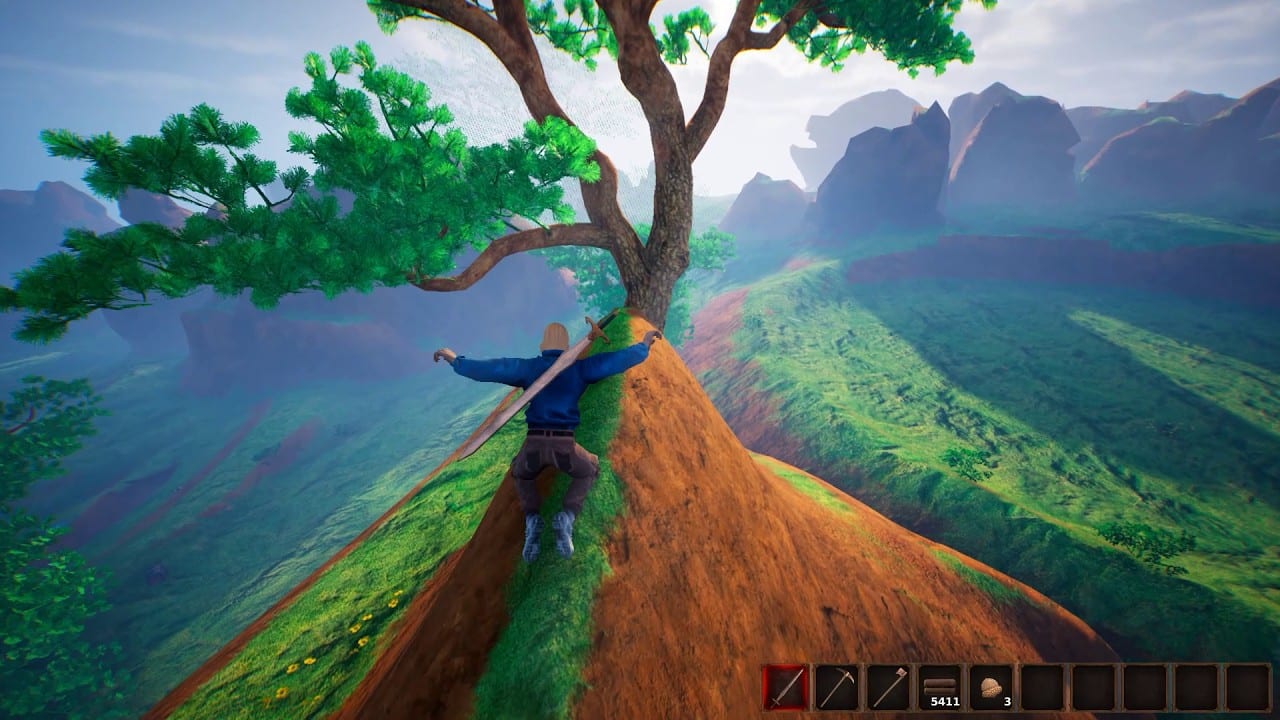
Print this page or keep it in a second window. Deliria is on Steam. Linesway’s cube-free sandbox is app 3725650; Steam lists 2 September 2026 as the store date. This checklist is what to finish before and during the first Play session, so night one is carving and combat, not driver hunting.
It is a list of actions, not a damage formula. For raw spec numbers, use PC system requirements. For URLs, use official links. For dates, use the release date tracker. Buy-or-refund talk belongs on the Deliria review.
1. Steam account and install
- Install the Steam client on Windows 10 64-bit (or newer Windows that still satisfies that line).
- Open Deliria, app 3725650 and install the base game. Follow remains useful for news; wishlist is optional if you already own it.
- Confirm you are looking at the base game, not only the soundtrack DLC (app 4929610).
- Note listed features: Single-player, Online PvP, LAN PvP, Online Co-op, LAN Co-op, Steam Achievements, Steam Cloud, Family Sharing.
- Confirm language: English interface, audio, and subtitles only.
- Skip any site selling keys, preloads, or a different app id. The live store is 3725650.
2. Hardware gate
Tick these against the requirements page rather than a forum screenshot:
- RAM: 4 GB is the Steam minimum; 8 GB is the recommended line — prefer 8.
- CPU strings: Pentium III 2.0 GHz+ minimum; recommended prints “Intel Premium 4” (typo for Pentium 4) 2.0 GHz or better. Realistically, bring a modern CPU anyway.
- DirectX 11 / Shader Model 5 minimum; DirectX 12 / Shader Model 6 recommended.
- GPU drivers: update the vendor package before first launch. VoxelWeaver caves punish stale drivers harder than a 2D indie.
- Storage: the store lists 4 GB. The depot download is about 2.11 GiB. Keep more than 4 GB free so a patch cannot trap you.
- Steam Deck: compatibility unknown — do not make the handheld your only plan.
If you fail the gate, do not install hoping the sandbox will be cheap. This is not a browser tab.
3. People and voice
- Join Discord: discord.gg/9Vp8XPnXKz (also discord.com/invite/deliria).
- Decide solo, online co-op, or LAN before friends show up. Read multiplayer for PvP-off worlds versus invasion nights.
- Pick a playstyle: carver, fighter, town host. Tell the group so you do not all main the same job.
- Agree English voice chat if anyone lacks English UI comfort — the store will not localize for you.
- Mute key-selling DMs. There are no official promo codes.
4. First-hour reading (do this after install, before a boss)
Open these in order; they are the first-session script:
- Getting started — food, tools, a starter shelter that is not a cube.
- Controls — mining and combat binds, grapple/wings if you use them.
- Mining and building — VoxelWeaver carving, ramps, caves, a house someone can actually move into.
- NPCs — ten listed residents; a town is a housing problem, not a menu.
- Combat — style rank, swords/guns/bows/magic.
- Invasions — Blood Moon and Hastur, why a pretty hill is not done.
- Bosses plus boss, weapon, and biome ranks.
You do not need every page memorized. You need one printed route and one backup biome if the first valley is a nightmare.
5. Media homework (optional, still official)
If you learn faster from footage, stay on Linesway YouTube (~58k subscribers):
- 5 Years of Game Development | DELIRIA
- VoxelWeaver for Unreal Engine 5
- Stylish Combat Showcase
- Release trailer and announcement trailer
Do not treat a trailer as a second installer. Do not treat soundtrack titles (The Great Pathogen, Yoggoth Cerebral Excoriator, SUPERSTRUCTURE, The Wall, and the rest of Claire Noelle’s 27 tracks) as extra bosses. Music is the soundtrack page on Steam; fights are the bosses guide.
6. First-session pass
When the depot is in the library:
- Reload the official store URL. Confirm app id 3725650 and a Play action for Deliria, not only for the soundtrack.
- Install to the drive you reserved (4 GB+ free).
- Enable Steam Cloud if you want the listed save feature.
- Create the world with PvP off unless the group already agreed to duels.
- Follow getting started until you have a hole, a door, and a way to not starve.
- Save often. Launch-week reports include softlocks, dirt that will not place, fall-through, and spawn pressure. A frequent save is cheaper than a new world.
- Only then invite co-op or flip PvP.
Keep the Updates Hub and roadmap for after-action news, not for the first twenty minutes. Keep the guides hub and players hub pinned. This is not Roblox; there are no scripts to inject when a menu is confusing — reread the control page.
Tick Discord. Tick GPU drivers. Tick PvP-off if your friends are chaotic. Then stop refreshing rumor accounts. The checklist is finished when Steam, not a Discord ping, is what lets you press Play — and when your first hillside is a plan, not a panic screenshot.
Frequently Asked Questions
Quick answers to the most common questions.
What is the first box I should tick?
Install Deliria on Steam (app 3725650), then run the system requirements gate and update GPU drivers.
Should I buy the soundtrack with the game?
Only if you want Claire Noelle's 27 tracks. The soundtrack is music DLC, not a way to play the sandbox. Track titles are not bosses.
How do I prep co-op?
Read multiplayer, join Discord, and agree PvP on/off before you create the world. Leave PvP off for the first session. LAN and online co-op are both Steam-listed.
Are there launch promo codes?
No official codes. Anyone DMing a key for a lookalike host is not Linesway. Use official links only.
What guides matter on the first night?
Getting started, controls, building, combat, and invasions. Boss ranks can wait until you have a door.
Is this a Roblox launch list?
No. Deliria is a PC Steam sandbox with no scripts page. If a checklist asks you to inject an executor, throw it out and return to the tools hub.