
Deliria PC System Requirements
Copy the live Steam table honestly — 4 GB store storage, ~2.11 GiB depot, Premium 4 typo.
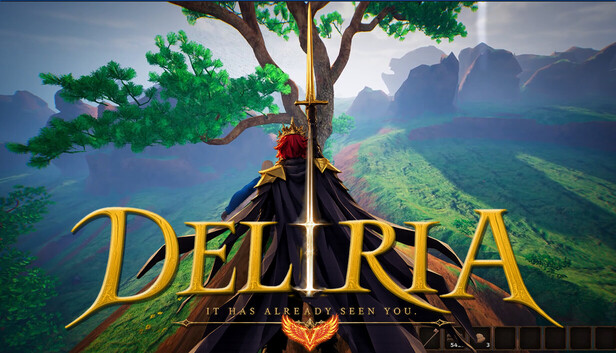
This page copies Steam’s live PC requirements for Deliria (app 3725650) and explains how to use them. It is not a benchmark lab. The table on the store is the live listing. Specs can still change in a patch. If this wiki and Steam disagree, Steam wins.
Deliria is a Windows sandbox on Unreal Engine 5 with VoxelWeaver terrain. The published table looks light for that engine. Read it as a store listing, then leave headroom. For the rest of first-session prep, use the launch checklist and the tools hub.
Minimum (Steam-listed)
All of the following require a 64-bit processor and operating system.
- OS: Windows 10
- Processor: Intel Pentium III, 2.0 GHz and above
- Memory: 4 GB RAM
- Graphics: Shader Model 5
- DirectX: Version 11
- Storage: the live store listing is 4 GB. The Steam depot download is about 2.11 GiB. Older copies of the page showed 1 GB; this wiki reports the live 4 GB line and the depot size, and will not invent a third figure.
Recommended (Steam-listed)
- OS: Windows 10
- Processor: Steam prints “Intel Premium 4” Processor 2.0 GHz or better. That string is a store typo; read it as Intel Pentium 4 2.0 GHz or better unless Linesway edits the text.
- Memory: 8 GB RAM
- Graphics: Shader Model 6
- DirectX: Version 12
- Storage: listed as 4 GB on the recommended block. Budget the ~2.11 GiB depot plus patch room, not a 1 GB leftover from an older listing.
Steam does not name a GeForce or Radeon SKU. Do not trust a YouTube thumbnail that adds “RTX 3060 recommended” unless it quotes a new official table. Shader Model 5 / 6 and DirectX 11 / 12 are the graphics lines we can defend.
How to read an unusually low table
A Pentium III minimum on a UE5 sandbox is a red flag for optimism, not a dare. Possible readings, all conservative:
- The table is a placeholder that was never raised while art and VoxelWeaver caves grew.
- “It boots” is not “Blood Moon stays smooth.” Invasions, nine bosses, and style-rank particle spam will cost more than a quiet forest.
- Storage at 4 GB on the store versus a ~2.11 GiB depot is already proof the listing is a floor, not a finished install size after first patch.
Practical test plan, without fake FPS targets:
- Confirm Windows 10 64-bit (Windows 11 usually satisfies a Windows 10 line; Steam did not list Windows 8).
- Confirm 8 GB RAM if you can. 4 GB is the minimum line, not a co-op comfort line.
- Confirm your GPU driver exposes DirectX 11 at minimum; prefer a card that speaks DirectX 12 / Shader Model 6 if you want the recommended column.
- Leave more than 4 GB free on the install drive so the 4 GB store line and a ~2.11 GiB depot cannot strand you after a patch.
- Do not plan around Steam Deck: compatibility is Unknown.
If the machine fails that list, do not install hoping VoxelWeaver will be cheap. Upgrade first. This is not a Roblox title you can run in a browser tab.
Features that are not hardware
The store also lists software features that affect “can I play the way I want,” which is a different question from FPS:
- Single-player
- Online PvP and LAN PvP
- Online Co-op and LAN Co-op
- Steam Achievements
- Steam Cloud
- Family Sharing
Language support is English only for interface, audio, and subtitles. A strong GPU will not add French menus. If you needed a language checklist, that belongs on official links and Discord voice, not in this table.
Family Sharing and Cloud matter on a shared PC: one install, several Steam accounts, saves that should roam. They still require the OS/RAM/DX floor above. LAN co-op requires every box to clear the same floor — read multiplayer before you promise a living-room night.
What to pair with this page
Hardware is only the gate. After you pass it:
- Getting started and controls — input and first-hour goals.
- Combat and invasions — the systems most likely to hitch if you sat on the minimum RAM line.
- Mining and building — VoxelWeaver carving is CPU/GPU work even when nobody is shooting.
- Bosses, boss tier list, weapons, biomes — content you came to run, not to benchmark.
- Release date and roadmap — so you do not confuse a trailer PC with your PC.
Watch VoxelWeaver for Unreal Engine 5 and 5 Years of Game Development | DELIRIA to see why caves and biomes may cost more than a 4 GB listing implies. The combat showcase is a better “will this chug” preview than the Pentium line.
The Deliria Soundtrack DLC is audio; it does not change GPU need. Claire Noelle’s 27 tracks will not add a boss named SUPERSTRUCTURE to your CPU budget.
Re-open this page if Steam edits the table and diff it against the live listing. 4 GB is the store storage line, the depot download is about 2.11 GiB, Pentium III is the minimum CPU string, and “Intel Premium 4” is a typo for Pentium 4. Anything more precise — a recommended RTX SKU, a locked 60 FPS, a made-up VRAM column — is someone else’s fanfiction, not a tool.
Frequently Asked Questions
Quick answers to the most common questions.
What is the minimum RAM for Deliria?
Steam lists 4 GB minimum and 8 GB recommended, on Windows 10 64-bit. See the tables above and re-check the Steam page. Pair with the launch checklist.
Why do you mention 4 GB storage and a 2.11 GiB depot?
The live store listing is 4 GB. The depot download is about 2.11 GiB. Older copies showed 1 GB. This wiki follows the live table and will not invent a third figure. Leave extra free space anyway.
What does Intel Premium 4 mean?
It is a Steam typo on the recommended CPU line. Read it as Intel Pentium 4 2.0 GHz or better unless Linesway edits the store. Minimum remains Pentium III 2.0 GHz+.
Is Deliria Steam Deck verified?
Steam lists Deck compatibility as unknown. This is a Windows PC listing with DirectX 11/12. Do not plan a handheld launch from this page. See tools hub for other checklists.
Will English-only change my hardware need?
No. English is the only interface, audio, and subtitle language. Hardware is OS, CPU, RAM, Shader Model, DirectX, and storage. Language questions go to official links.
Can I run it on Roblox or a phone?
No. Deliria is a PC Steam sandbox. Use getting started after you pass the Windows table, not a mobile store.